If you are an indie game developer showcasing your latest build, or a PC enthusiast bringing a custom $3,000 water-cooled rig to a LAN party, you already know the anxiety.
Event halls are loud, crowded, and chaotic. As a solo exhibitor or a gamer, you can't stay glued to your chair for 12 hours straight. You need to use the bathroom, grab lunch, and step away to network. But leaving your hardware unattended—even for five minutes—is a massive risk.
Here is the ultimate, multi-layered checklist to secure your showcase PC from theft, tampering, and data loss.
Level 1: Physical Deterrents
The goal of physical security isn't to make your PC invincible; it's to make it annoying to steal. Thieves at conventions are looking for a quick "snatch and grab." If your setup takes more than 10 seconds to dismantle, they will walk away.
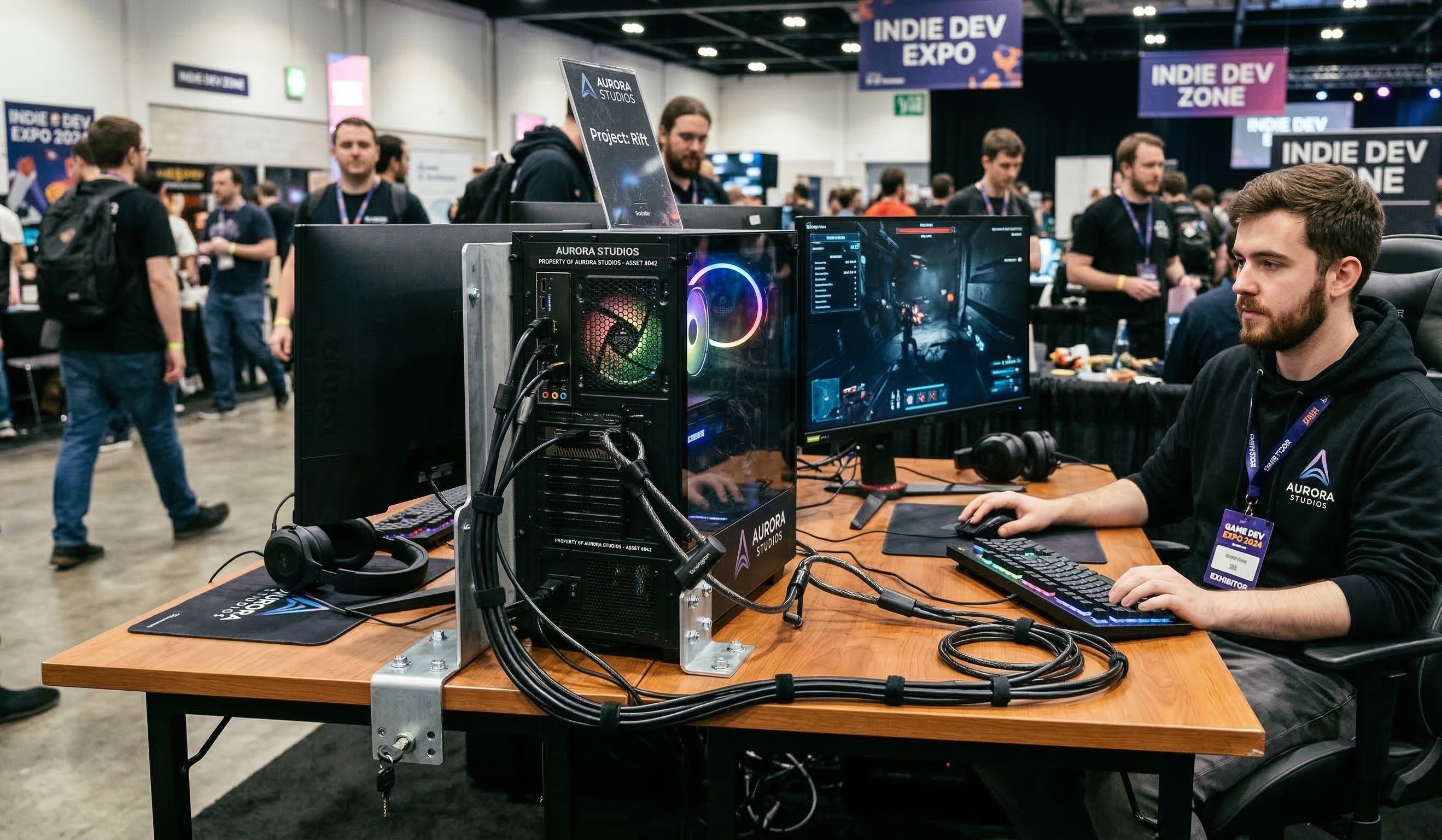
- Use a Kensington Lock: Most modern PC cases and gaming laptops have a small security slot on the back. A heavy-duty Kensington cable locked around a solid table leg is your first line of defense.
- Zip-Tie Your Peripherals: It is incredibly easy for someone to unplug a $150 mechanical keyboard or a high-end gaming mouse and drop it in their backpack. Zip-tie your peripheral cables together and anchor them to the desk or monitor stand.
- Ditch the Thumb Screws: Modern PC cases use thumb screws for the glass side panels. Replace these with standard Phillips-head screws. It prevents someone from quickly popping off the glass and ripping out your GPU or RAM while you are looking the other way.
Level 2: OS and Data Security
If someone manages to get physical access to your machine, you need to ensure your unreleased game files, source code, and personal accounts are locked down tight.
- The 60-Second Auto-Lock: Never leave your PC unlocked. Form a habit of pressing
Win + Lthe second you stand up. Additionally, dive into your Windows power settings and set the screen to turn off and require a password after just 1 minute of inactivity. - Enable a BIOS Password: A common tactic for data thieves is to plug in a "live" USB drive, restart your PC, and boot into their own operating system to bypass your Windows password and steal your files. Setting a basic Administrator password in your BIOS prevents unauthorized boot devices.
- Turn on BitLocker: If the absolute worst happens and your PC is stolen, Windows BitLocker (or standard disk encryption) ensures your hard drive is essentially a brick to the thief. Your source code and personal data remain strictly confidential.
Level 3: Active Monitoring (The Missing Link)
Here is the glaring flaw with physical locks: they don't stop someone from maliciously unplugging your PC to ruin a showcase, nor do they alert you if someone is tampering with your setup while you are across the convention hall.
This exact anxiety is why we built Theft Monitor.
Theft Monitor is a lightweight Windows utility designed specifically for event exhibitors and LAN party gamers. It runs completely silently in the background of your OS and acts as a digital tripwire.
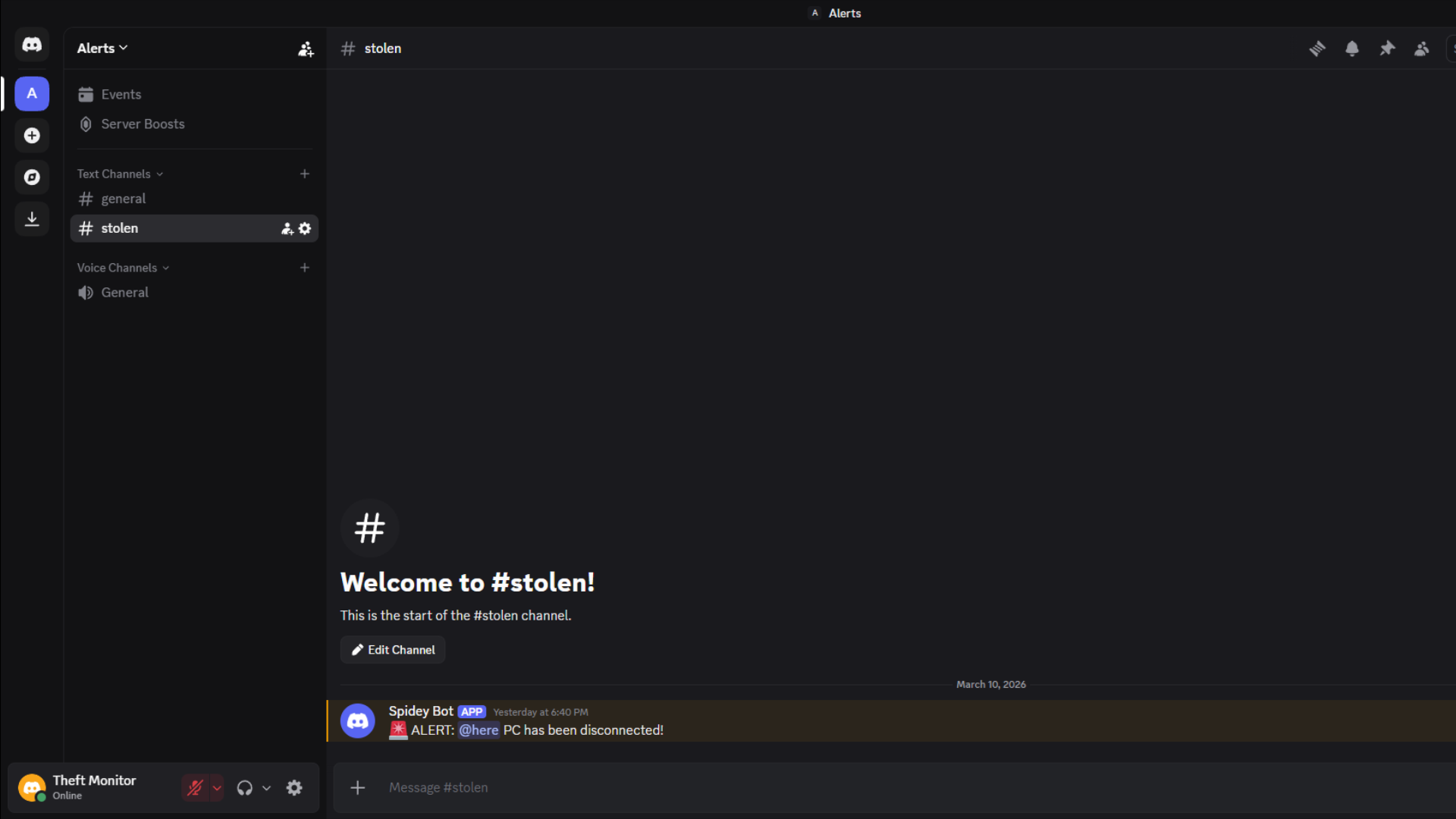
If someone unplugs your PC's power cable from the wall, or disconnects your ethernet cable to try and bypass your security software, Theft Monitor instantly fires a high-priority webhook directly to your Discord.
Why Discord?
As gamers and developers, Discord is already where we live. Instead of forcing you to download a clunky companion app, we integrated the alerts directly into the platform you already have open on your phone.
With an active monitoring system, you get the ultimate peace of mind. You can finally step away from your booth to grab a coffee, knowing your phone will instantly ping you the second your hardware is compromised.
Don't Leave Your Hardware to Chance
Showcasing at an event should be about celebrating your hard work and networking with the community, not nervously staring at your PC all day.
By combining physical cable locks, strict OS passwords, and an active alert system like Theft Monitor, you can make your setup practically bulletproof.
Ready to secure your rig? Download Theft Monitor today and set up your first alert in under 2 minutes.